
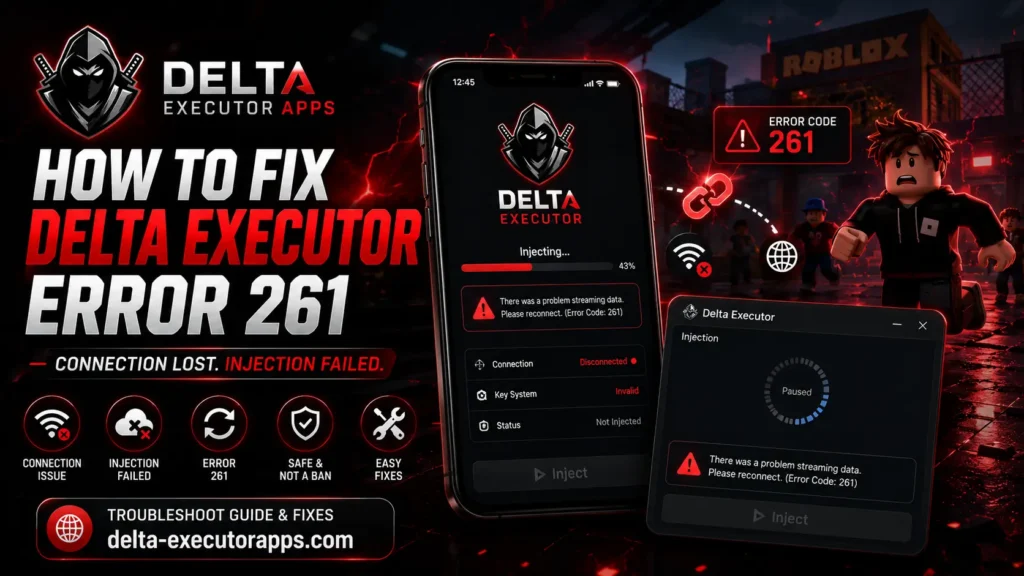
If you use Delta Executor, you’ve probably seen this popup: “There was a problem streaming data. Please reconnect. (Error Code: 261).” You tap inject, the script is ready, and then error 261 stops everything. The script won’t run and Roblox disconnects you.
First thing to know: delta executor error 261 is not a ban and not a virus. It’s a connection problem between Delta and Roblox. It happens most on the Delta VNG version on Android, usually when the executor loses its connection with Roblox while injecting.
The reason it’s confusing is that 261 has more than one cause. It can be a weak internet connection, an old Delta version, a VPN, a full cache, or a key that reset after an update. So the fix depends on what’s actually causing it.
This guide goes through all of it. You’ll see what error 261 means, why it happens (especially on VNG and Android), and then the exact steps to fix it, starting with the quickest ones. There’s also a short list of tips to stop it from happening again, plus answers to common questions. For most people it takes about two minutes to fix.
What Is Delta Executor Error 261?
Error 261 is a Roblox connection error. The full message says: “There was a problem streaming data. Please reconnect. (Error Code: 261).” It means your device and Roblox stopped talking properly, so the game data never fully loads.
You’ll also see roblox error 261 in the normal Roblox app, usually when your client tries to join a game, retries a few times, and still can’t get in.
With Delta it’s a bit different. Delta injects scripts into Roblox, and that needs a steady connection between the two. When you tap inject, they do a quick handshake. If that connection breaks mid-way, you get error 261 instead of a running script.
Why Does Delta VNG Error 261 Happen?
Delta vng error 261 doesn’t have a single cause, which is why it’s tricky to fix. Here are the usual reasons:
- Weak or unstable internet: if your connection drops during injection, the files get corrupted and 261 shows up.
- Outdated Delta version: when Roblox VNG updates, older Delta builds stop working until you update.
- Corrupt cache: old cached data in Delta can block a clean injection.
- VPN or proxy running: VNG detects the VPN or proxy and interrupts the injection.
- Key reset after an update: sometimes an update quietly resets your key validation.
- Roblox VNG server downtime: if their servers are having issues, no fix on your end will help until they’re back.
How to Fix Delta Executor Error 261
Start with the first fix and work down. Most people don’t need to go past step 3.
1. Check if Roblox VNG runs without Delta first
Open Roblox VNG on its own and try joining a game without Delta. If Roblox crashes by itself, the problem is with Roblox, not the executor. If it runs fine, then the 261 error is on Delta’s side and the steps below will sort it out.
2. Use a stable connection and toggle airplane mode
A weak connection is the most common cause. Switch between Wi-Fi and mobile data to see which is more stable, or turn airplane mode on for 10 seconds and off again to refresh your connection. Then try injecting.
3. Update Delta VNG to the latest version
When Roblox VNG updates, older Delta builds stop working. Uninstall your current version and download the latest Delta VNG version from the official site. An outdated build is a very common reason for 261.
4. Clear Delta’s cache
Old cached data can block a clean injection, especially if you switch between different scripts a lot. Clear Delta’s cache from your app settings, then reopen it and try again.
5. Turn off VPN while injecting
VNG can detect a VPN or proxy and cut the injection, so inject on a normal connection with the VPN off. You can turn it back on after the script is running.
One exception: if your 261 is caused by a regional block, connecting through a trusted VPN to another country can actually help. So VPN off while injecting normally, but if you’re region-blocked, that’s the one case where a VPN is the fix instead of the problem.
6. Re-enter your Delta key
Updates sometimes reset your key validation without telling you. Go to Delta’s key section and paste your key again, then retry the injection.
7. Check the correct APK
Installing the wrong build can trigger 261. Check whether your device is 64-bit or 32-bit and download the matching VNG file.
Still Getting Error 261?
If you’ve tried everything above and 261 keeps coming back, work through these:
- Reboot your device. A simple restart clears background issues that can block injection.
- Check for outages. Look at the Delta status page to see if Delta or Roblox VNG is down. If it’s a server issue, you just have to wait it out.
- Do a clean reinstall. Fully uninstall Delta, then install the latest version fresh instead of updating over the old one.
- Check the Discord. If 261 started right after a Roblox update, it’s often a known issue. The Delta Discord usually posts an announcement and a patch when that happens.
How to Avoid Error 261 in the Future
A few habits keep 261 from coming back:
- Keep Delta VNG updated. Update as soon as a Delta executor new version drops, since most 261 issues start with an outdated build.
- Inject on a stable connection with no VPN. Get the script running first, then turn the VPN back on if you need it.
- Clear the cache once a week. Especially if you run a lot of different scripts.
- Re-verify your key after every update. Updates can reset key validation, so check it before you inject.
FAQs
Is error 261 a ban?
No. Error 261 is a connection error, not a ban. It means Delta lost its data link with Roblox during injection. If you were banned, you’d get a ban message instead, not a “problem streaming data” popup.
Does error 261 mean Delta gave me a virus?
No. 261 has nothing to do with viruses or malware. It’s just a broken connection between the executor and Roblox. As long as you downloaded Delta from the official site, this error isn’t a sign of anything harmful.
Why do I only get 261 on Delta VNG?
Because VNG is the Vietnamese build of Roblox and it connects a bit differently. Delta’s injection is more likely to drop mid-way on VNG, so 261 shows up far more on that version than on the global one.
Does error 261 happen on iOS too?
It can, but it’s mostly an Android VNG issue. Most 261 reports come from Android users on the VNG version. If you’re on iOS and seeing it, the same fixes still apply: stable connection, latest version, and re-check your key.
Will clearing the cache delete my scripts?
No. Clearing Delta’s cache only removes temporary data. Your saved scripts stay where they are, so it’s safe to do whenever you hit 261.