

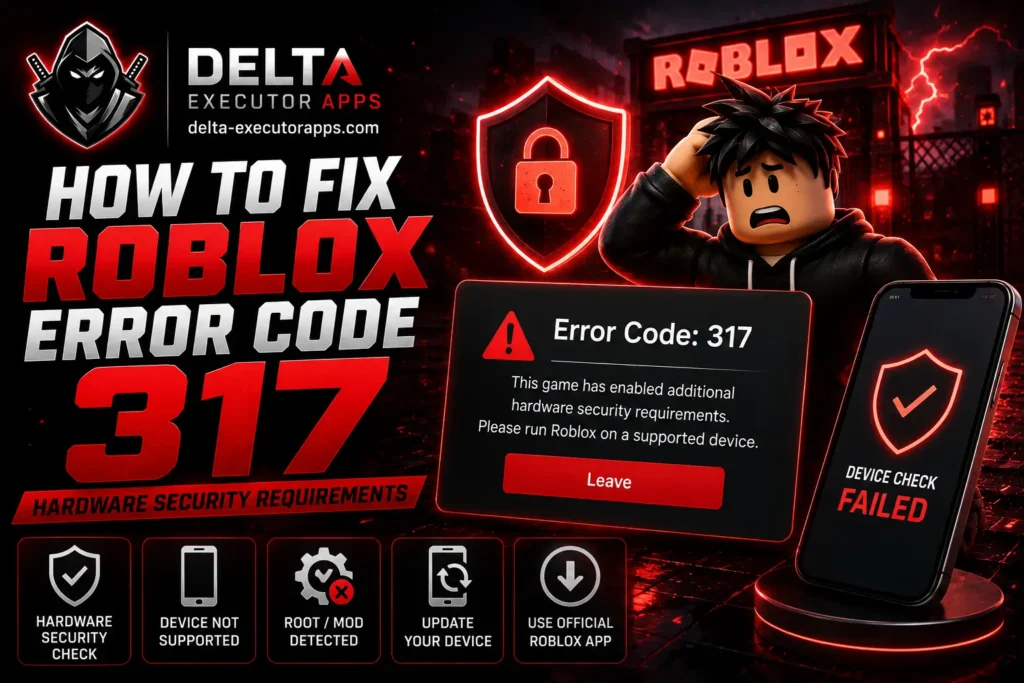
If you’re seeing roblox error code 317 with a message about “hardware security requirements,” here’s the first thing to know: it’s not a ban, and there’s nothing wrong with your account. The game you tried to join turned on a device security check, and your device didn’t pass it. Your Robux, items, and friends are all safe.
Here you will know what 317 actually is, why your device got flagged, which games use it, and the real steps to fix it. It also gives you the honest answer for when 317 can’t be fixed, so you don’t waste time on things that were never going to work.
What Is Roblox Error Code 317?
Error 317 roblox shows this message: “This game has enabled additional hardware security requirements. Please run Roblox on a supported device.” In plain terms, the game asked your device to prove it’s genuine and untampered, and the check came back failed.
This is a hardware security error 317, meaning it runs at the device level, not the app level. Roblox calls this device integrity or remote attestation, and it uses Android’s Play Integrity system to do it. The important part: the game’s creator chooses to turn this on, not Roblox itself. That’s why you get 317 in one game but can still play plenty of others.
For Delta users, the same rule applies. A delta error 317 isn’t a Delta bug or a virus. It’s the game checking your device and deciding it doesn’t meet the security level it wants.
Why Roblox Added Hardware Security in 2026
Roblox rolled out device-backed integrity checks to fight cheating in a stronger way. Regular anti-cheat runs inside the game and can be worked around. A hardware check is harder to fake because it asks the device itself, through the manufacturer and operating system, whether the environment is trusted.
Creators of competitive games wanted this because exploiters ruin ranked and PvP modes. So Roblox gave them a tool to require a trusted device before letting anyone into those experiences. That’s the whole reason 317 exists: to keep modified and untrusted setups out of games where fairness matters most.
Which Games Use Error 317?
Not every game turns this on. It’s mostly competitive and PvP titles, where cheating has the biggest impact. Rivals is the game most people run into 317 on, and more ranked-style games have been adding it.
Casual games usually don’t use it. So if you get 317 in one game but your other favorites load fine, that’s expected. The block is specific to games that chose the strict setting, not a problem across your whole account.
Error 317 vs Error 319 (They Often Appear Together)
A lot of people see both codes back to back, so it helps to know the difference:
- Error 319 comes first. It says Roblox couldn’t verify the game’s integrity due to a network issue, and it usually gives you a “Reconnect” option.
- Error 317 often follows when you reconnect. This is the hardware security block, and it doesn’t give you a retry.
The short version: 319 is tied to a verification or network hiccup, while 317 is the device-level security check itself. If you keep landing on 317, that’s the one to focus on.
Is Error 317 a Ban?
No. 317 is a temporary device block, not an account ban. Nothing happens to your account, your Robux, or your items. If you log in on a supported device, you can play right away.
So don’t panic and don’t try to appeal a ban that doesn’t exist. The issue is the device you’re on, not your account standing.
Why You’re Getting Error 317 (Common Causes)
317 comes down to your device failing the trust check. The usual reasons:
- Developer Options or USB debugging is on. These look like a risky environment to the check, since exploiters use them.
- Outdated Android or Google Play security. Missing system updates can fail the integrity check.
- Rooted device, unlocked bootloader, or custom ROM. These break hardware attestation on purpose.
- Emulator or virtual device. These can’t pass a real hardware check.
- Old or very low-end device. Some hardware simply doesn’t support the security feature.
- Roblox installed from an unofficial source. A sideloaded or modified copy gets flagged.
Supported vs Unsupported Device
Here’s a quick way to see which side your device is on:
Passes the check | Fails the check |
Updated, official Android | Outdated OS or old device |
Locked bootloader | Rooted or unlocked bootloader |
Official Roblox from a store | Custom ROM or modified app |
Physical phone or tablet | Emulator or virtual device |
If everything about your setup sits in the left column, the fixes below will likely work. If you’re in the right column, read the honest section further down first.
Legitimate Player vs Modified Device (Which One Are You?)
There are really two kinds of people hitting 317, normal player and modified device.
If you’re a normal player on a regular phone and you just got blocked out of nowhere, it’s usually something small like Developer Options being on or a skipped system update. The steps below will get you back in.
If you’re on a modified device, meaning rooted, running a custom ROM, or an emulator, the check is doing exactly what it’s meant to do. It’s built to block that kind of setup, so there’s no simple toggle that lets you past it. Knowing which group you’re in saves you a lot of wasted effort.
Is Error 317 Fixable for You? (Quick Check)
Run through this before trying anything:
- Only in one game? That game turned on hardware security. Other games will still work.
- On a rooted device or emulator? There’s no legitimate fix. The check is designed to block it.
- On a normal, updated device? The steps below should clear it.
How to Fix Roblox Error Code 317 (Step-by-Step)
Work through these in order. Most normal-device cases are solved by the first few.
1. Check if it’s one game or every game
Try loading a different game. If only one throws 317, that game’s security setting is the cause and your device is otherwise fine. If every game does it, keep going.
2. Turn off Developer Options and USB debugging
Go to your device settings and switch off Developer Options (and USB debugging inside it). This puts your phone back in a normal state that the check is happier with.
3. Update your Android OS
Open Settings, then System, then Software update, and install anything pending. An up-to-date system is far more likely to pass.
4. Update Google Play services
Make sure Google Play services and the Play Store are current. The integrity check relies on these being recent.
5. Reinstall Roblox from an official store
Uninstall Roblox, then install it fresh from the Delta executor Website . This clears out any flagged or modified copy.
6. Restart your device
A full restart lets the check run clean. Simple, but it clears up plenty of one-off cases.
When Error 317 Can’t Be Fixed (The Honest Part)
Sometimes there’s no fix, and it’s better to know that up front.
If your device is rooted, running a custom ROM, an emulator, or too old to support hardware attestation, the check will keep blocking you. This isn’t a setting you can flip on or off. Whether a device can pass is decided by the manufacturer and the operating system, not by Roblox and not by any app.
In that case, the only way into a game that requires this security is a supported, unmodified device that can pass the check on its own. For those specific games, that’s the reality, and no shortcut changes it.
Error 317 vs Other Roblox Error Codes
317 gets mixed up with a few other codes. Here’s how they compare:
Code | What it means | What to check |
261 | Connection dropped while loading | Your internet |
267 | Kicked or banned from one game | The game’s rules or anti-cheat |
317 | Device failed a hardware security check | Your device setup |
319 | Integrity check failed, often network-related | Reconnect, then see 317 |
If your real problem is a connection drop, see our Delta error 261 fix. If you were kicked from a game, our Delta error 267 guide covers that.
How to Avoid Error 317 in the Future
You can lower your chances of running into it again:
- Keep your device updated. Install Android and Google Play updates as they come.
- Leave Developer Options off unless you actually need it.
- Install Roblox only from an official store.
- Know that some competitive games are strict. Getting 317 in those on a modified device isn’t something you can fix, it’s how those games are set up.
FAQs
Is error 317 a ban?
No. It’s a temporary device block, not an account ban. Your account, Robux, and items are all safe, and you can play on a supported device.
Why do I only get 317 in one game like Rivals?
Because that game’s creator turned on hardware security. Games that don’t use it will still load normally for you.
Will a VPN fix error 317?
No. 317 is a device check, not a location or network block, so a VPN does nothing for it.
Does error 317 happen on iOS?
It’s mostly an Android issue tied to hardware attestation. If you see it on iOS, the same idea applies: the game wants a trusted device.
Can I fix 317 on a rooted device or emulator?
Honestly, no. The check exists to block those exact setups. You’d need a supported, unmodified device to get into a game that requires it.