
Delta Key
Getting your Delta key is quick, free, and the only thing standing between you and running scripts. This guide shows you exactly how to grab one, activate it, and fix it fast if it stops working.
What is Delta Executor Key
The Delta executor key is a short access code that turns the app on. Without a valid key, you can open Delta, but you can’t inject scripts or use any of its features. Entering the key is the step that makes the executor actually work.
The key also checks that you’re running the real Delta app and not a fake or modified copy, which is part of how the key system stays secure. Each key is valid for about 24 hours, then you generate a new one the same way.
How to Get the Delta Key
Follow these steps to generate your Delta Key and activate Delta Executor.
Open Delta Executor
First, open Delta Executor on your device. Make sure you are using the latest version because older versions may not work with the latest Roblox update.
Once Delta Executor opens, keep it running and move to the next step.
Select Your Roblox Game
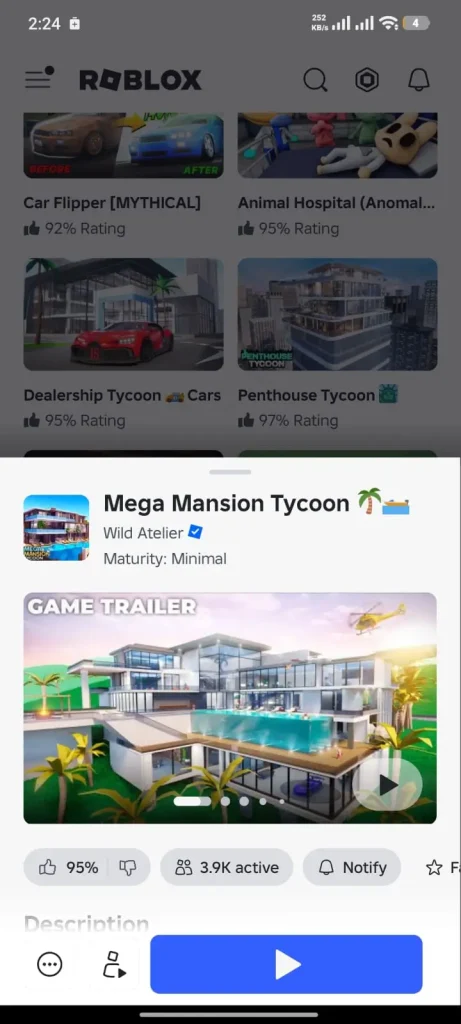
Now search for the Roblox game you want to play.
When you find your game, tap the Play button and wait for it to load completely. Depending on your internet speed, this may take a few seconds.
Open the Key Verification Page
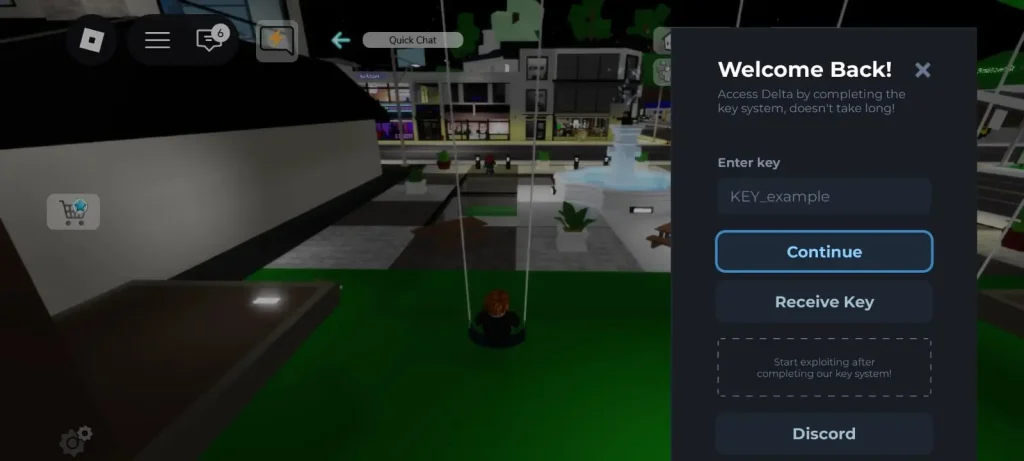
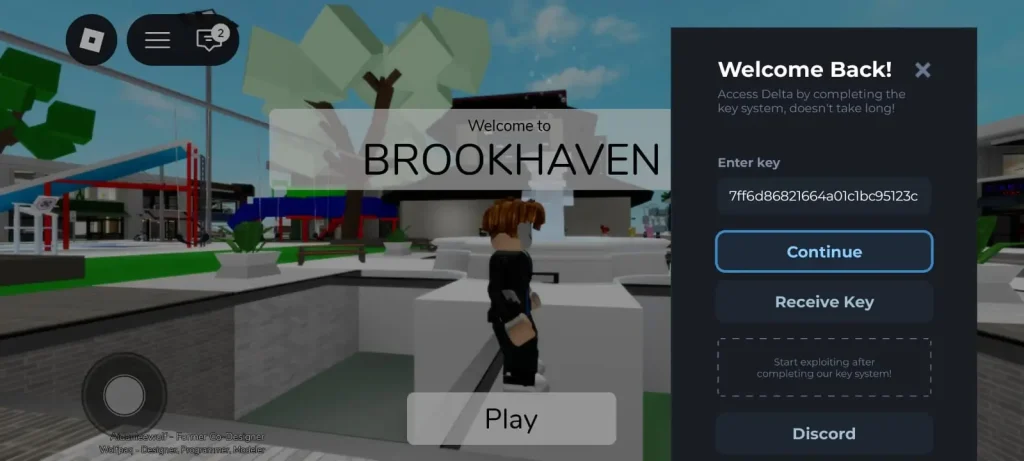
After that Key Verification window will appear automatically.
On this screen, tap the Receive Key button.
As soon as you tap it, Delta Executor will copy a verification link to your clipboard. Some devices may open your browser automatically. If that doesn’t happen, simply open any browser yourself and paste the copied link into the address bar.
This will take you to the official Delta Key Verification page.
Complete the Verification Tasks
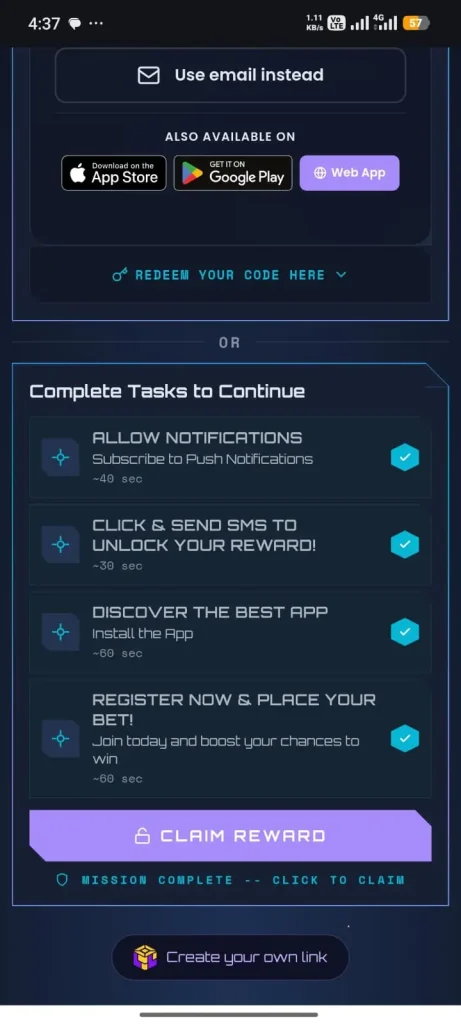
On the verification page, you will see a few tasks.
Open the first task, and then return to the same verification page.
Do the same for the second and third tasks. Complete them one by one and always come back to the verification page after finishing each task.
When a task is completed successfully, you will see a green check mark next to it.
Wait until all tasks show a green check mark before moving to the next step.
After that, click the Claim Reward button.
Create Your Delta Key
Once you claim the reward, you will see the Create Your Key button.
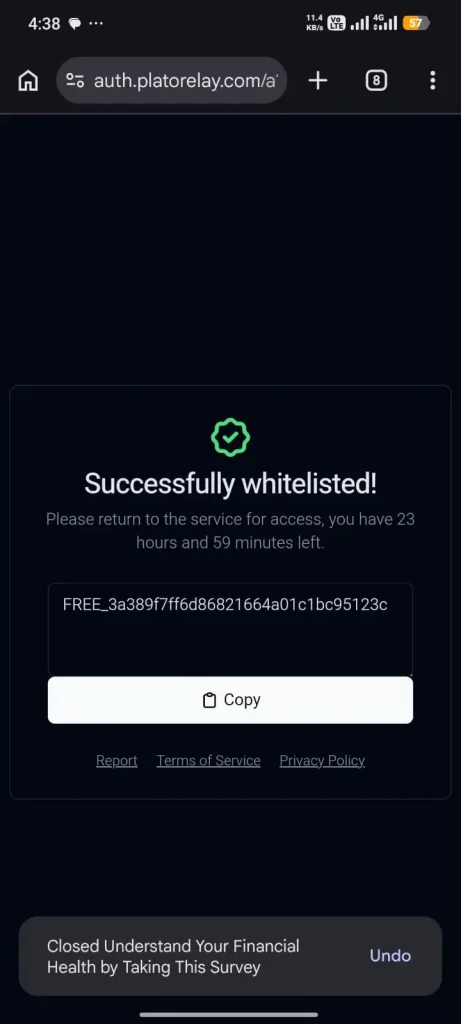
Click on it, and within a few seconds, your personal Delta Executor Key will be generated.
Now copy the key carefully. You will need it in the next step.
Activate Your Key
Go back to Delta Executor.
Paste the key into the verification box and click the Continue button.
Delta Executor will verify your key automatically. Once the verification is complete, the key window will close, and you will have full access to the executor.
You can now paste your favorite Roblox script and start using Delta Executor.
Why Delta Uses a Key System
The steps you complete to get a key aren’t just there to slow you down. That’s how Delta stays free. When you finish the verification steps, the partner sites pay the Delta team a small amount, and across many users that covers servers, updates, and quick fixes whenever Roblox changes something.
So the 24-hour key is a small daily trade: a couple of minutes of steps in exchange for a free executor that keeps getting updated. Once you know that, the steps make more sense, and there’s no reason to hunt for shady shortcuts that put your device at risk.
Delta Key Not Working?
If your key won’t unlock Delta, it’s almost always one of these:
- “Invalid key” message. Usually caused by extra spaces. Clear the field, copy the key again cleanly, and paste it with no spaces before or after.
- Key stopped working suddenly. It probably expired. Generate a fresh one.
- Key reset right after an update. Updates sometimes clear your key. Redo the steps to get a new one.
- Error when you tap “Receive Key.” That’s often a connection issue on the app’s side. See our Roblox error 261 fix.
- Kicked from a game after keying in. That’s not a key problem, it’s the game’s anti-cheat. Our Roblox error 267 guide explains it. For hardware-security blocks, see Roblox error 317.
- The verification page gets stuck. Refresh it, or close it and paste the link again. A different network can also help.
Stay Safe: Avoid Fake Key and Bypass Sites
Search for a Delta key and you’ll find sites promising an “instant key” or a way to “bypass” the steps. Skip them. This is where most people run into trouble.
- “Free instant key” pages. The real key only comes from inside the Delta app. Any site handing out keys directly is fake, and often trying to get you to install something harmful.
- Bypass tools and apps. Anything claiming to skip the steps usually pushes sketchy downloads or asks for permissions it shouldn’t. A lot of them carry malware.
- Sites asking you to log in. No real key step ever needs your Roblox password. If a page asks for it, close it.
The safe route is simple: get your key the normal way through the “Receive Key” button and the steps that follow. It takes a couple of extra minutes, but it keeps your device and account safe.
FAQs
Is the Delta key free?
Yes. It’s completely free. You get it by completing a few quick steps, which is what keeps Delta free to use.
How often do I need a new key?
About once every 24 hours. Each key expires after that, so you generate a fresh one the same way when it runs out.
Why do I have to complete steps to get the key?
Those steps earn the small ad revenue that funds Delta’s servers and updates, and they help keep the app secure. It’s the trade that keeps Delta free instead of paid.
My key says invalid, what do I do?
Copy it again and paste it with no extra spaces. That fixes it most of the time. If it still fails, it likely expired, so get a new one.
Do I need a key on both Android and iOS?
Yes. Both need a key, and you get it the same way using the “Receive Key” button in the app.
Are key bypass tools safe?
No. They often carry malware or try to steal your login. Only get your key the normal way through the app.