
Roblox Scripts
Got Delta set up and ready to run your first script? You’re in the right place. This is the complete, beginner-friendly guide to injecting, pasting, and executing Roblox scripts with Delta, with quick fixes for anything that goes wrong along the way.
What Is a Roblox Script?
A Roblox script or Delta script is a piece of code you run through Delta to add features to a Roblox game that aren’t there normally. Most scripts are written in Lua, the same language Roblox games use, and each one does a specific thing. Some give you auto-farming, some add speed or fly options, and others unlock menus with a whole list of features for one game.
On their own, scripts are just text. Delta is what actually runs them. You paste a script into Delta, hit Execute, and the executor injects that code into the game so it takes effect. Without an executor like Delta, a script won’t do anything.
One thing to keep in mind: scripts are made by other people, not by Delta. That’s why quality varies, and why it matters where you get them. A good script from a trusted source runs clean, while a random one from an unknown site can be broken or unsafe. Stick to scripts you can trust, and check what a script is meant to do before you run it.
How to Run Roblox Scripts Using Delta X
Follow these simple steps to execute any scripts in Roblox using Delta Executor.
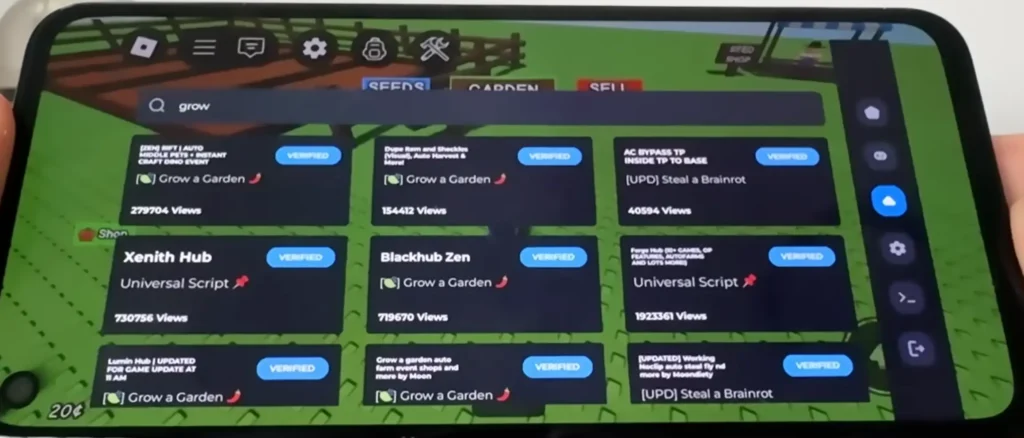
1. Launch Delta Executor
Launch Delta Executor on your device and wait for it to load properly.
2. Open Roblox
Open Roblox and choose the game where you want to run a script.
3. Wait for Game to Load
Wait until the game fully loads before doing anything else.
4. Open the Script Window
Click on the Delta icon to open the script window.
5. Open the Full Interface
If needed, open the full interface (GUI/controller option) to access the script executor.
6. Paste your Script
Copy your required Roblox script and paste it into the script box.
7. Click Execute / Run
Click the Execute / Run button to start the script in the game.
Where to Get Delta Scripts?
Only use scripts from sources you trust. Random scripts from unknown sites can be broken, or worse, made to steal your account or push harmful code. Stick to well-known script communities and our Discord, and read what a script does before you run it.
Script Not Running? (Troubleshooting)
If you tap Execute and nothing happens, it’s usually one of these:
- Delta isn’t injected. Make sure you tapped Inject and it confirmed before running the script. Our fix for Delta not injecting covers this.
- Your key expired. Scripts won’t run on a dead key. Grab a fresh one from the Delta key guide.
- You injected too early. Let the game fully load, then inject and run.
- The script itself is broken. Try a different script to see if the problem is Delta or the script.
- You hit an error code. For connection drops see Roblox error 261, for kicks see Roblox error 267, and for hardware-security blocks see Roblox error 317.
Frequently Asked Questions
Do I need a key to run scripts?
Yes. Delta won’t run any script without an active key. If yours expired, generate a new one and try again.
Why does my script do nothing when I tap Execute?
Most of the time Delta isn’t injected yet, or your key expired. Inject first, check your key, then run the script again.
Can I run scripts on Android and iOS?
Yes. The steps are the same on both. Open Delta, load your game, inject, paste, and execute.
Are Roblox scripts safe to run?
It depends on the source. Trusted scripts are fine, but random ones can carry harmful code. Only use scripts from sources you trust, and check what they do first.
Can running scripts get me banned?
Some games have anti-cheat that can kick or ban you for scripts. If a game blocks you, that’s the game’s system, not a Delta fault. See our error guides for what each block means.